
We offer two ways to help you understand how the AI Summary generation feature works — pick whichever suits you best:
Prefer to watch?
Start with our short walkthrough video that shows you how AI-generated summaries are fetched and managed.
Prefer to read?
Scroll down for the full written guide with screenshots and step-by-step explanations.
What exactly is this AI Summary Feature in the TIP Tool™?
The AI Summary feature in the TIP Tool™ allows users to quickly generate a concise, structured summary of U.S. patent applications. The summary is created using AI-powered analysis of the application’s claims, ensuring it accurately reflects the scope of the filing.
With a one-click fetch inside the application, users can generate a summary based on the latest claims, rather than relying on the original abstract The generated summary remains fully editable and replaceable, giving users complete control while benefiting from AI assistance.
Note: This feature is available only for U.S. applications and requires a filed application PDF to be uploaded.
How to Fetch an AI- Summary (Step-by-Step)
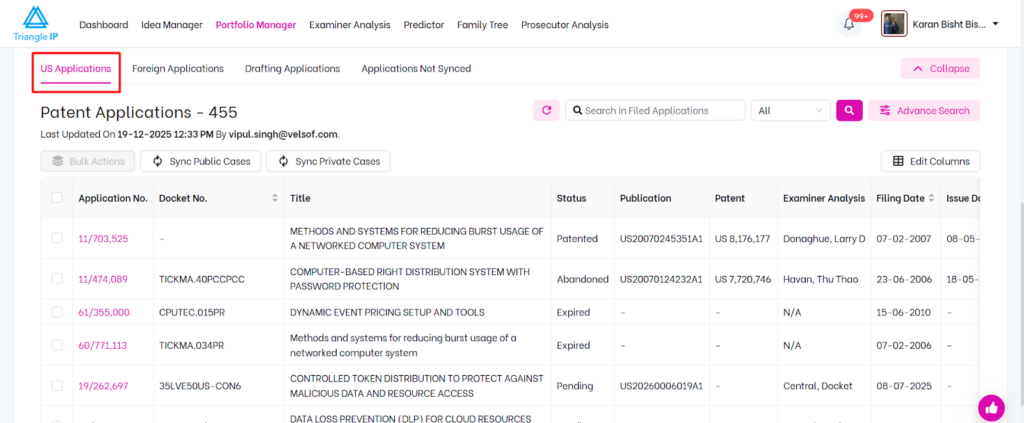
Step 1: Navigate to the Portfolio Manager and open a U.S. patent application.
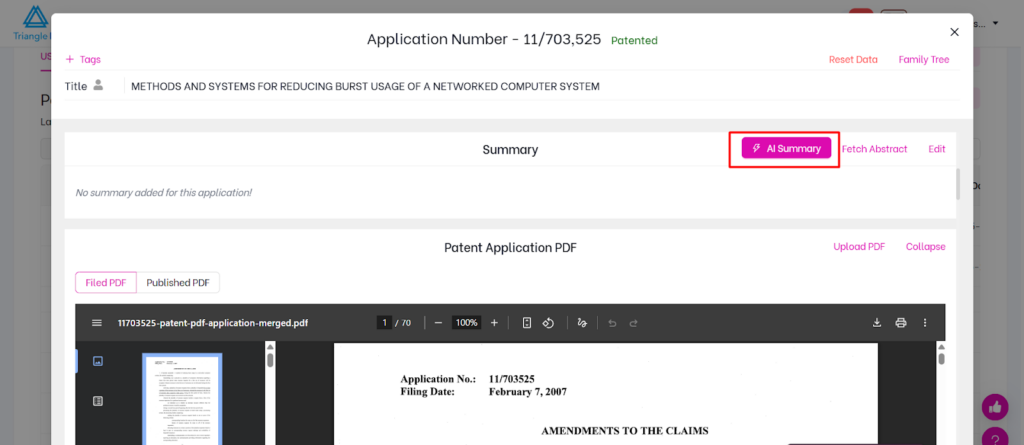
Step 2: Scroll down. The AI Summary button is visible within the application view only when a PDF of a filed patent application is available.
Step 3: Click on AI Summary.
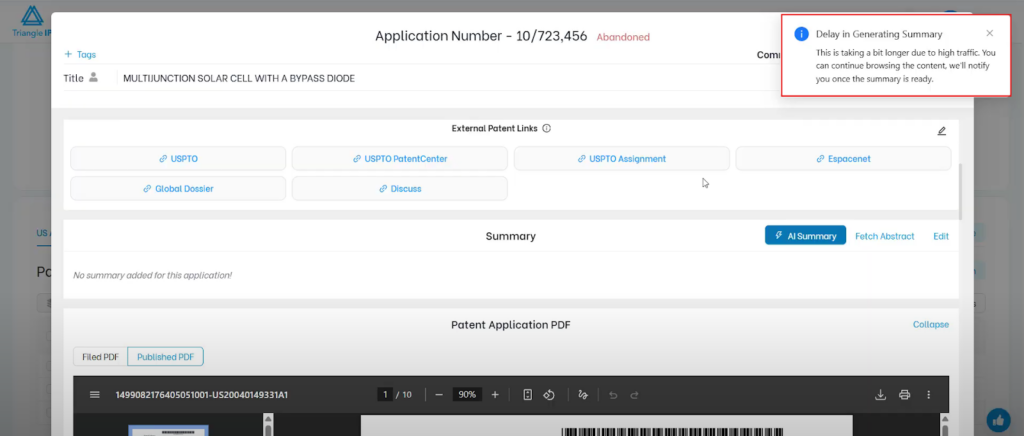
Step 4: Once clicked, a notification confirms the summary is being generated. You can continue using the TIP Tool™ while the process runs.
Step 4: Reopen the application once the summary generation is complete.
A pop-up will appear showing the AI summary and prompting you to confirm whether you want to keep it.
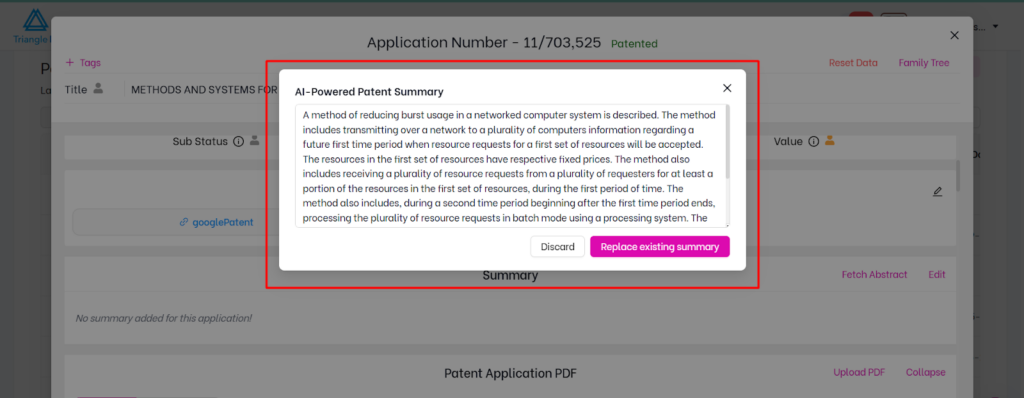
Step 5: Click Replace Existing Summary to save the new AI summary content to the application.
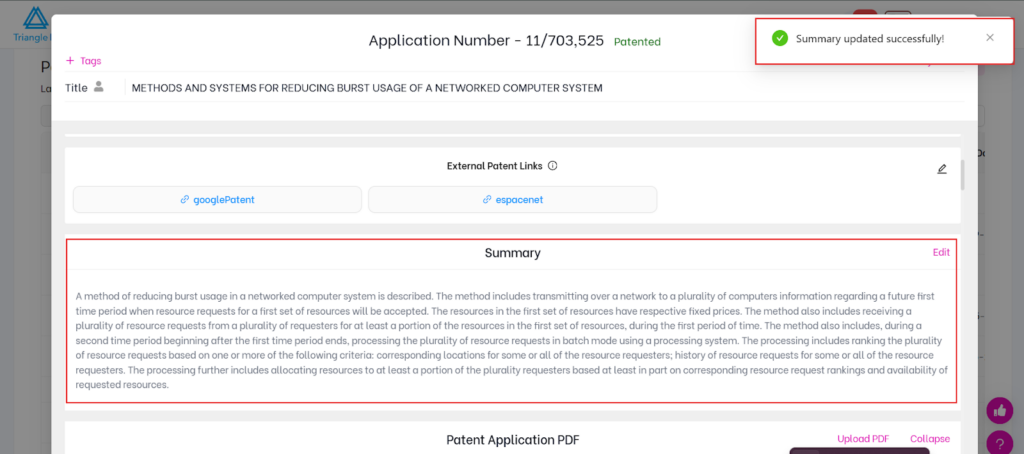
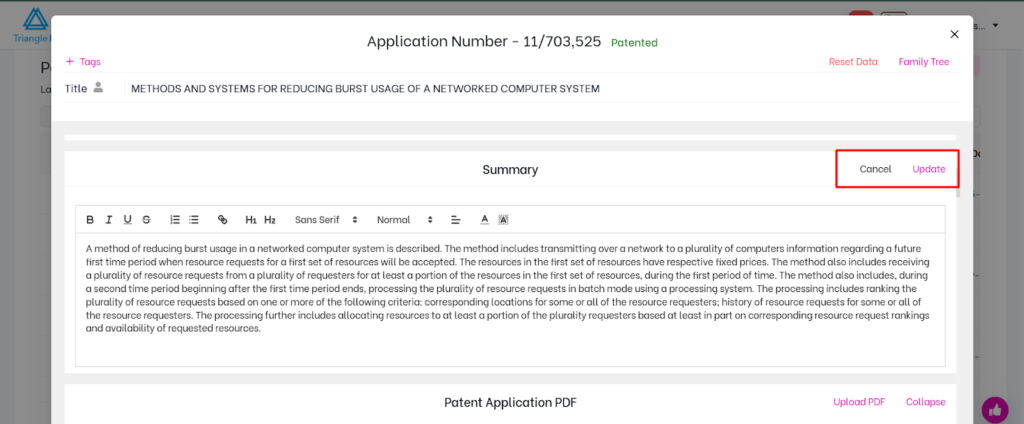
Step 6: At any time, users can manually update or remove the summary by clicking the Update button
Note: The system may generate AI summaries in the background so they are often available immediately when users open an application.
Why This Feature Matters
Patent applications often evolve during prosecution. Claims may be amended, new claims may be added, and others may be removed as the application progresses. As these changes occur, the scope of the invention can shift over time.
However, the abstract is typically written at the time of filing and often remains unchanged throughout the lifecycle of the application. In many cases, this means the abstract may no longer accurately reflect the current scope of the claims.
The AI Summary feature addresses this by generating a summary based on the latest available claims. This helps ensure that the summary shown in Portfolio Manager reflects the application’s current scope rather than relying on an abstract that may be outdated.
As a result, users reviewing applications can rely on a summary that stays aligned with how the claims evolve during prosecution, while still retaining the ability to edit or replace the summary when needed.